

Land F/X
  • Portal
  • Products
  • Support
  • Videos
  • Who We Are
  • Trial
  • Purchase
Land F/X
  • Portal
    • Dashboard
    • Account
    • Licenses
    • Data
    • Support
  • Products
    • Detail F/X
      • Product
      • Features
      • Trial
      • Purchase
    • Planting F/X
      • Product
      • Features
      • Trial
      • Purchase
    • Irrigation F/X
      • Product
      • Features
      • Trial
      • Purchase
    • F/X CAD
    • Plugin for Revit®
    • Plugin for SketchUp®
    • Plugin for Rhino®
    • Site & Hardscape
    • Lighting
    • Manufacturer Connection
    • Academic
    • Purchase
  • Support
    • Knowledge Base
    • Documentation
    • Submit Ticket
    • Updates
    • Forum
    • Install
  • Videos
    • Power Tips
    • Webinars
  • Who We Are
    • Contact Us
    • Careers
    • Gallery
    • News
  1. Documentation
  2. Planting Overview
  3. Plant Schedules
  4. Combined Column Title Length is Too Long

Combined Column Title Length is Too Long

Issue

You saw the following error when attempting to place a Plant Schedule:

Combined column title length is too long.
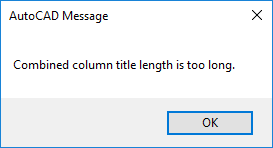
Combined column title length is too long


Cause

Your Plant Schedule column widths are determined by the number of characters in the User Field Title cells in the Plant Sizes Preferences (pictured below).


Plant Sizes Preferences screen, Title fields

The six Title fields are only allowed to contain a total of 55 characters. (The characters in all the title cells are counted up and listed together, and cannot breech the 55-character count.)


This error will come up when these Title fields contain more than the allotted 55 characters.

A similar character limit is also imposed on the Description cells, but that limit there is much higher.


Solution

Open the Plant Sizes Preferences, and edit the Title fields so the total number of characters in all fields doesn't exceed the 55 limit. You should now be able to place a schedule without getting the error.


Alternative Solution

As an alternative, you can also add data tags to plants using our plant data tagging system and use the Plant Data option in the Plant Schedule dialog box to include those tags in your schedule.

Contact

  • Land F/X
  • PMB 351 3940 Broad St. STE 7
    San Luis Obispo, CA 93401
  • +1 805-541-1003
Email Logo Facebook Logo Instagram Logo LinkedIn Logo
Land F/X Logo

Our software tailors AutoCAD®, Revit®, SketchUp®, and Rhino® to the needs of landscape architects, irrigation designers, and other professionals. We automate your most tedious tasks and ensure accuracy, giving you more time to design.

  • Portal
  • Products
  • Support
  • Videos
  • Who We Are