
Land F/X
  • Portal
  • Products
    • Detail F/X
      • Product
      • Features
      • Trial
      • Purchase
    • Planting F/X
      • Product
      • Features
      • Trial
      • Purchase
    • Irrigation F/X
      • Product
      • Features
      • Trial
      • Purchase
    • F/X CAD
    • Plugin for Revit®
    • Plugin for SketchUp®
    • Plugin for Rhino®
    • Site & Hardscape
    • Lighting
    • Manufacturer Connection
    • Academic
    • Purchase
  • Support
    • Knowledge Base
    • Documentation
    • Submit Ticket
    • Updates
    • Forum
    • Install
  • Videos
    • Power Tips
    • Webinars
    • Podcasts
  • Who We Are
    • Contact Us
    • Careers
    • Gallery
    • News
Land F/X
  • Portal
  • Products
    • Planting F/X
      • Product
      • Features
      • Trial
      • Purchase
    • Irrigation F/X
      • Product
      • Features
      • Trial
      • Purchase
    • F/X CAD
    • Plugin for Revit®
    • Plugin for SketchUp®
    • Plugin for Rhino®
    • Details
    • Site & Hardscape
    • Lighting
    • Academic
    • Manufacturer Connection
    • Purchase
  • Support
    • Knowledge Base
    • Documentation
    • Submit Ticket
    • Updates
    • Forum
    • Install
  • Videos
    • Power Tips
    • Webinars
    • Podcasts
  • Who We Are
    • Contact Us
    • Careers
    • Gallery
    • News
  1. Home
  2. Knowledge Base
  3. 3D Rendering
  4. Errors: Revit
  5. Land F/X Error Occurred: Misconfigured Installation! (Opening Revit® With Our Planting F/X Plugin Installed)

    []

    Your Land F/X Support ID Does Not Match Any on Our Server (Using One of Our Plugins for Revit® or Rhino)

    Updated on: September 22, 2026

    Issue

    You saw an error message that Your Land F/X Support ID does not match any on our server. Would you like to activate with a new one? when using one of our plugins for Revit or Rhino.
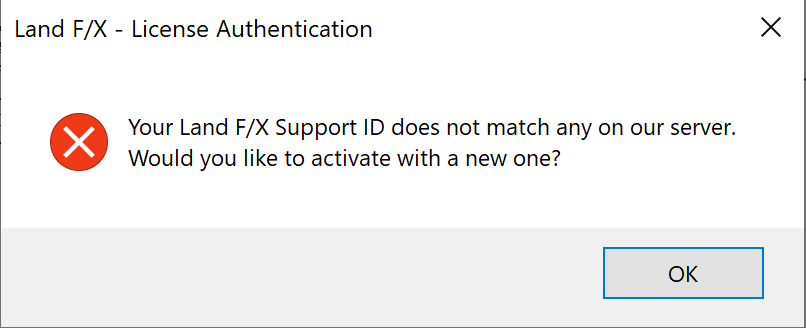
    Your Land F/X Support ID does not match any on our server


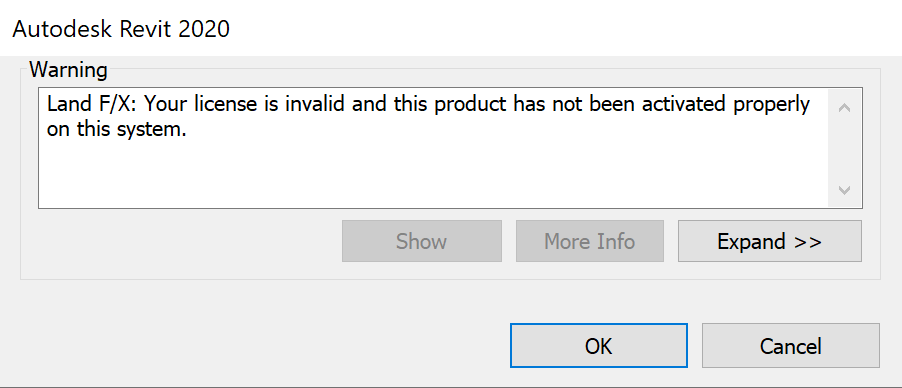
    Your license is invalid and this product has not been activated properly on this system

    You might also see the following error message: Your license is invalid and this product has not been activated properly on this system..


    Cause

    You might receive these errors if:

    • Your Support ID has changed, or
    • You mistyped your Support ID when installing or configuring the plugin


    Solution

    1. Follow our steps to locate your correct Support ID.


    2. Once you've located your correct Support ID, open the General Preferences screen for your Revit or Rhino plugin.


    You can then validate your Support ID by entering it and clicking Validate.
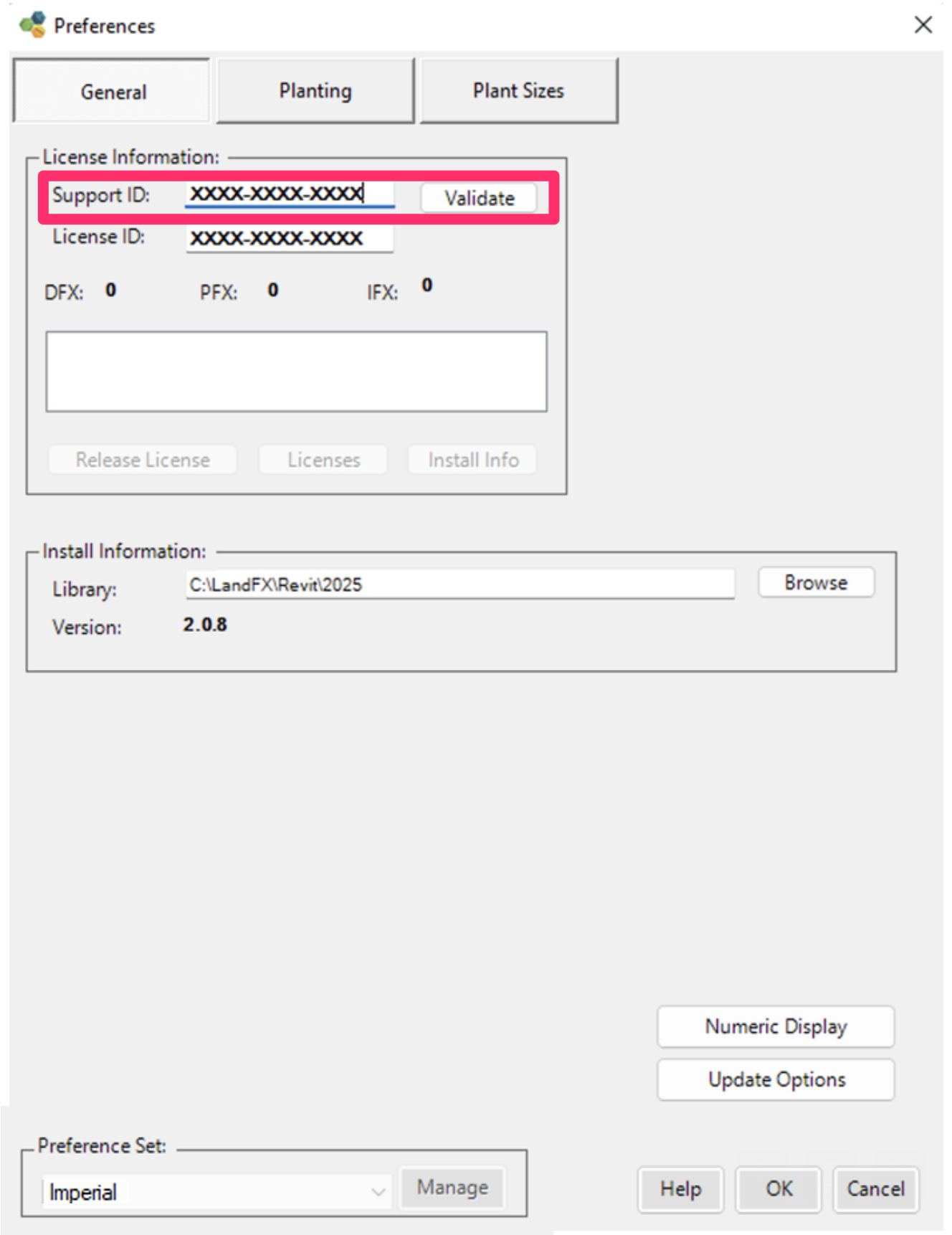
    General Preferences screen in Revit, Support ID text field


    Revit® is a restricted trademark of Autodesk®.

    Contact

    • Land F/X
    • PMB 351 3940 Broad St. STE 7
      San Luis Obispo, CA 93401
    • +1 805-541-1003
    Email Logo Facebook Logo Instagram Logo LinkedIn Logo
    Land F/X Logo

    Our software tailors AutoCAD®, Revit®, SketchUp®, and Rhino® to the needs of landscape architects, irrigation designers, and other professionals. We automate your most tedious tasks and ensure accuracy, giving you more time to design.

    • Portal
    • Products
    • Support
    • Videos
    • Who We Are