

Land F/X
  • Portal
  • Products
    • Detail F/X
      • Product
      • Features
      • Trial
      • Purchase
    • Planting F/X
      • Product
      • Features
      • Trial
      • Purchase
    • Irrigation F/X
      • Product
      • Features
      • Trial
      • Purchase
    • F/X CAD
    • Plugin for Revit®
    • Plugin for SketchUp®
    • Plugin for Rhino®
    • Site & Hardscape
    • Lighting
    • Manufacturer Connection
    • Academic
    • Purchase
  • Support
    • Knowledge Base
    • Documentation
    • Submit Ticket
    • Updates
    • Forum
    • Install
  • Videos
    • Power Tips
    • Webinars
    • Podcasts
  • Who We Are
    • Contact Us
    • Careers
    • Gallery
    • News
Land F/X
  • Portal
  • Products
    • Detail F/X
      • Product
      • Features
      • Trial
      • Purchase
    • Planting F/X
      • Product
      • Features
      • Trial
      • Purchase
    • Irrigation F/X
      • Product
      • Features
      • Trial
      • Purchase
    • F/X CAD
    • Plugin for Revit®
    • Plugin for SketchUp®
    • Plugin for Rhino®
    • Site & Hardscape
    • Lighting
    • Manufacturer Connection
    • Academic
    • Purchase
  • Support
    • Knowledge Base
    • Documentation
    • Submit Ticket
    • Updates
    • Forum
    • Install
  • Videos
    • Power Tips
    • Webinars
    • Podcasts
  • Who We Are
    • Contact Us
    • Careers
    • Gallery
    • News
  1. Home
  2. Knowledge Base
  3. F/X CAD & AutoCAD
  4. Errors: F/X CAD & AutoCAD
  5. FlexNet License Finder Error (Opening AutoCAD or F/X CAD)

    AutoCAD Error Aborting: There is a Problem With the Installation and AutoCAD Cannot Continue (Starting F/X CAD After Uninstalling an Older Version)

    Updated on: February 17, 2026

    Issue

    You saw the following error message when opening a newer version of F/X CAD after uninstalling an older version of F/X CAD or AutoCAD:

    AutoCAD Error Aborting

    There is a problem with the installation and AutoCAD cannot continue.

    This error may occur if the registry cleaner software has removed or altered registry keys that are required to run AtoCAD.

    To restore the required registry keys, you will need to reinstall AutoCAD using the Add/Remove Program functionality in the Windows Control Panel.
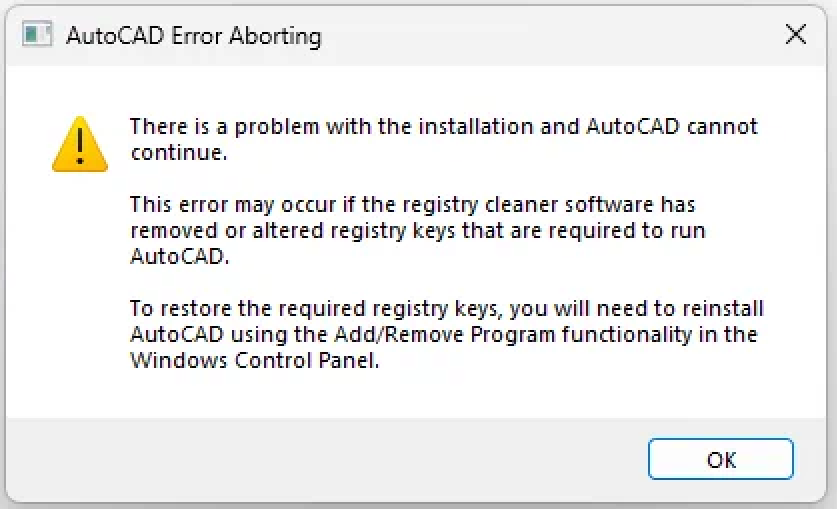
    AutoCAD Error Aborting: There is a problem with the installation and AutoCAD cannot continue.

    We've seen this issue occur most commonly with users who are attempting to use F/X CAD 2026 after uninstalling an older version.


    Cause

    The older version of F/X CAD or AutoCAD may not have uninstalled properly, which is interfering with the newer version's ability to run properly.


    Solution

    Follow our steps to uninstall and reinstall your newer version of F/X CAD.

    When reinstalling F/X CAD, ensure that you're using the latest installer for your year version. Find your installer here.

    Contact

    • Land F/X
    • PMB 351 3940 Broad St. STE 7
      San Luis Obispo, CA 93401
    • +1 805-541-1003
    Email Logo Facebook Logo Instagram Logo LinkedIn Logo
    Land F/X Logo

    Our software tailors AutoCAD®, Revit®, SketchUp®, and Rhino® to the needs of landscape architects, irrigation designers, and other professionals. We automate your most tedious tasks and ensure accuracy, giving you more time to design.

    • Portal
    • Products
    • Support
    • Videos
    • Who We Are