Land F/X
  • Portal
  • Products
  • Support
  • Videos
  • Who We Are
  • Trial
  • Purchase
Land F/X
  • Portal
    • Dashboard
    • Account
    • Licenses
    • Data
    • Support
  • Products
    • Detail F/X
      • Product
      • Features
      • Trial
      • Purchase
    • Planting F/X
      • Product
      • Features
      • Trial
      • Purchase
    • Irrigation F/X
      • Product
      • Features
      • Trial
      • Purchase
    • F/X CAD
    • Plugin for Revit®
    • Plugin for SketchUp®
    • Plugin for Rhino®
    • Site & Hardscape
    • Lighting
    • Manufacturer Connection
    • Academic
    • Purchase
  • Support
    • Knowledge Base
    • Documentation
    • Submit Ticket
    • Updates
    • Forum
    • Install
  • Videos
    • Power Tips
    • Webinars
  • Who We Are
    • Contact Us
    • Careers
    • Gallery
    • News
  1. Knowledge Base
  2. F/X CAD & AutoCAD
  3. Viewing Your Drawing
  4. Object Enabler for Viewing and Manipulating AutoCAD Civil 3D Files

Cursor Pickbox Turns Into a Dotted Aperture When You Select Objects

Issue

Your cursor pickbox turns into a dotted aperture when you select an object in your drawing.
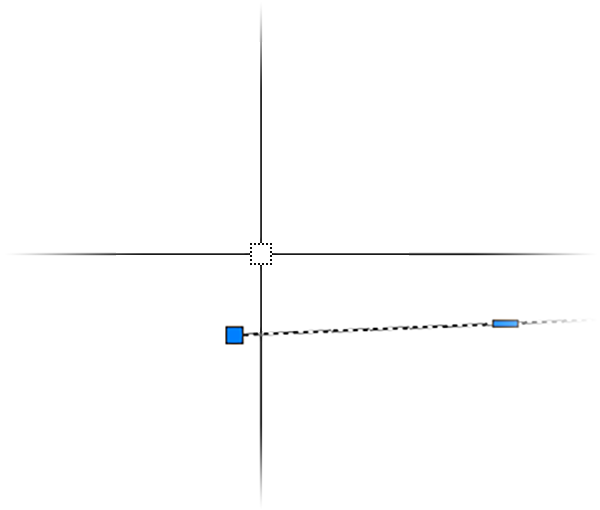
Cursor pickbox turns into dotted aperture


Cause

A setting in your AutoCAD Options is causing the pickbox to appear dotted.


Solution

1. Type OP in the Command line and press Enter to open the Options dialog box.
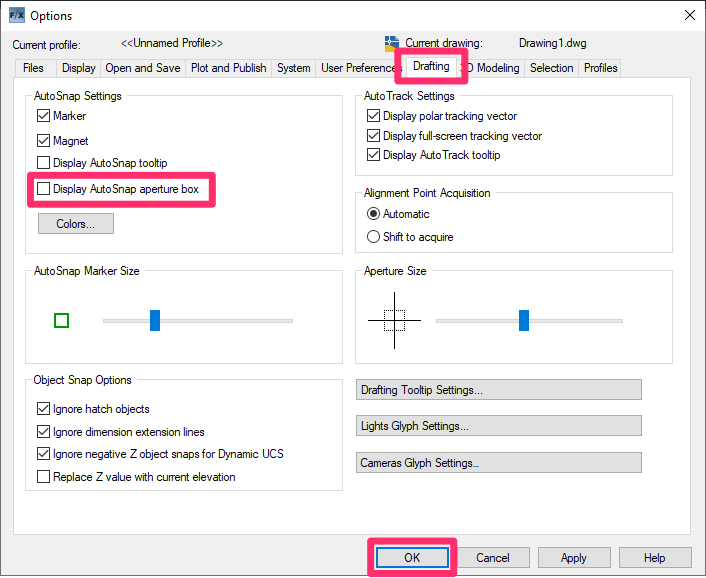


Options dialog box, Drafting tab

2. In the Options dialog box, go to the Drafting tab.


Uncheck the option to Display AutoSnap Aperture box.


Click OK to save the change.


The cursor pickbox should now have a solid appearance when objects are selected.
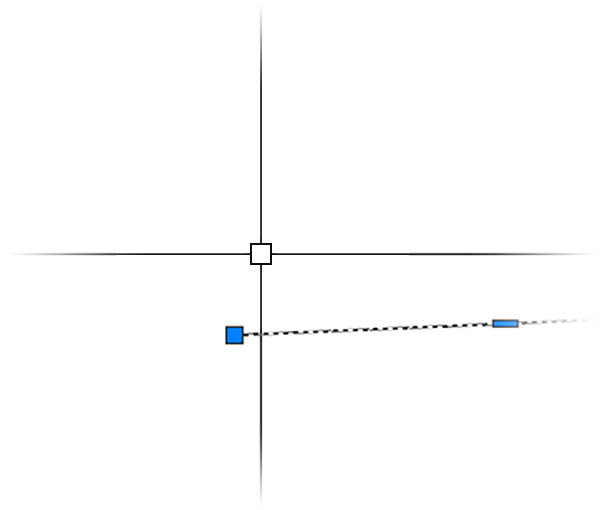
Cursor pickbox should now have a solid appearance

Contact

  • Land F/X
  • PMB 351 3940 Broad St. STE 7
    San Luis Obispo, CA 93401
  • +1 805-541-1003
Email Logo Facebook Logo Instagram Logo LinkedIn Logo
Land F/X Logo

Our software tailors AutoCAD®, Revit®, SketchUp®, and Rhino® to the needs of landscape architects, irrigation designers, and other professionals. We automate your most tedious tasks and ensure accuracy, giving you more time to design.

  • Portal
  • Products
  • Support
  • Videos
  • Who We Are