

Land F/X
  • Portal
  • Products
    • Detail F/X
      • Product
      • Features
      • Trial
      • Purchase
    • Planting F/X
      • Product
      • Features
      • Trial
      • Purchase
    • Irrigation F/X
      • Product
      • Features
      • Trial
      • Purchase
    • F/X CAD
    • Plugin for Revit®
    • Plugin for SketchUp®
    • Plugin for Rhino®
    • Site & Hardscape
    • Lighting
    • Manufacturer Connection
    • Academic
    • Purchase
  • Support
    • Knowledge Base
    • Documentation
    • Submit Ticket
    • Updates
    • Forum
    • Install
  • Videos
    • Power Tips
    • Webinars
    • Podcasts
  • Who We Are
    • Contact Us
    • Careers
    • Gallery
    • News
Land F/X
  • Portal
  • Products
    • Detail F/X
      • Product
      • Features
      • Trial
      • Purchase
    • Planting F/X
      • Product
      • Features
      • Trial
      • Purchase
    • Irrigation F/X
      • Product
      • Features
      • Trial
      • Purchase
    • F/X CAD
    • Plugin for Revit®
    • Plugin for SketchUp®
    • Plugin for Rhino®
    • Site & Hardscape
    • Lighting
    • Manufacturer Connection
    • Academic
    • Purchase
  • Support
    • Knowledge Base
    • Documentation
    • Submit Ticket
    • Updates
    • Forum
    • Install
  • Videos
    • Power Tips
    • Webinars
    • Podcasts
  • Who We Are
    • Contact Us
    • Careers
    • Gallery
    • News
  1. Home
  2. Knowledge Base
  3. Installation Troubleshooting & Errors
  4. Errors: Installing Land F/X
  5. This Page Can't Be Displayed (Installing or Updating a Land F/X Plugin, or Opening the License Manager)

    This Page Can't Be Displayed (Installing or Updating a Land F/X Plugin, or Opening the License Manager)

    Updated on: August 15, 2024

    Issue

    You received the following error message when trying to update or install a Land F/X plugin, or when opening the License Manager – and you are positive that your Internet connection is working.


    This page can't be displayed. Turn on TLS 1.0, TLS 1.1, and TLS 1.2 in Advanced settings and try connecting to https://www.landfx.com again.
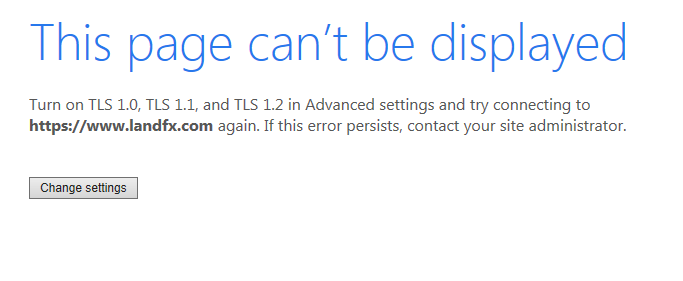
     

    This page can't be displayed error message

    Cause

    Your TLS settings in Internet Explorer are likely disabled, preventing you from accessing our online database – or using our software at all.


    Solution

    Click Change Settings to open your Internet Explorer settings.
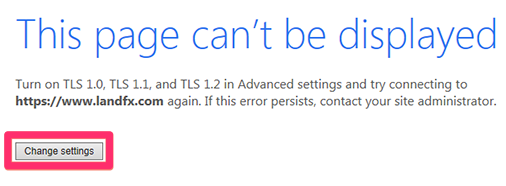
     

    Change Settings button to open Internet Explorer settings


    Then follow our steps to configure your TLS settings.


    Your system should now be able to query Land F/X, and you can continue the installation, update, or other process you were attempting.

    Contact

    • Land F/X
    • PMB 351 3940 Broad St. STE 7
      San Luis Obispo, CA 93401
    • +1 805-541-1003
    Email Logo Facebook Logo Instagram Logo LinkedIn Logo
    Land F/X Logo

    Our software tailors AutoCAD®, Revit®, SketchUp®, and Rhino® to the needs of landscape architects, irrigation designers, and other professionals. We automate your most tedious tasks and ensure accuracy, giving you more time to design.

    • Portal
    • Products
    • Support
    • Videos
    • Who We Are