

Land F/X
  • Portal
  • Products
  • Support
  • Videos
  • Who We Are
  • Trial
  • Purchase
Land F/X
  • Portal
    • Dashboard
    • Account
    • Licenses
    • Data
    • Support
  • Products
    • Detail F/X
      • Product
      • Features
      • Trial
      • Purchase
    • Planting F/X
      • Product
      • Features
      • Trial
      • Purchase
    • Irrigation F/X
      • Product
      • Features
      • Trial
      • Purchase
    • F/X CAD
    • Plugin for Revit®
    • Plugin for SketchUp®
    • Plugin for Rhino®
    • Site & Hardscape
    • Lighting
    • Manufacturer Connection
    • Academic
    • Purchase
  • Support
    • Knowledge Base
    • Documentation
    • Submit Ticket
    • Updates
    • Forum
    • Install
  • Videos
    • Power Tips
    • Webinars
  • Who We Are
    • Contact Us
    • Careers
    • Gallery
    • News
  1. Documentation
  2. Planting Overview
  3. Adding & Placing Plants
  4. Placing Plants

https://www.landfx.com/images/docs/_ribbons-newer/planting-ribbon/plant-elevation-blocks.png

Plant Elevation Blocks

We've added the ability to place planting blocks in elevation, or section, view, from our F/X Planting ribbon.

Plant Elevation Blocks Overview

Open our Plant Elevation Blocks tool:
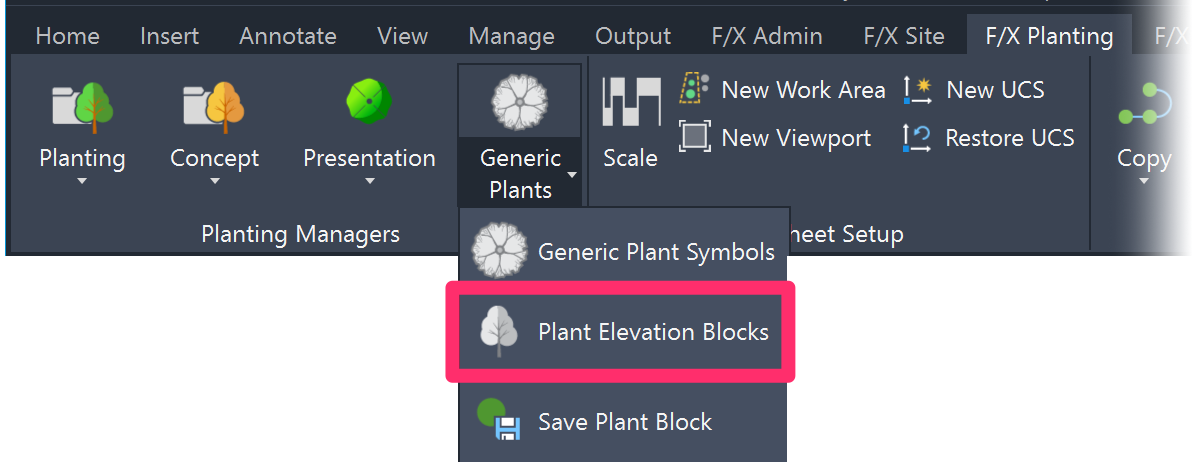
 

F/X Planting ribbon, Plant Elevation Blocks button

F/X Planting ribbon, Plant Elevation Blocks flyout


Type FX_PlantElevationBlocks in the Command line
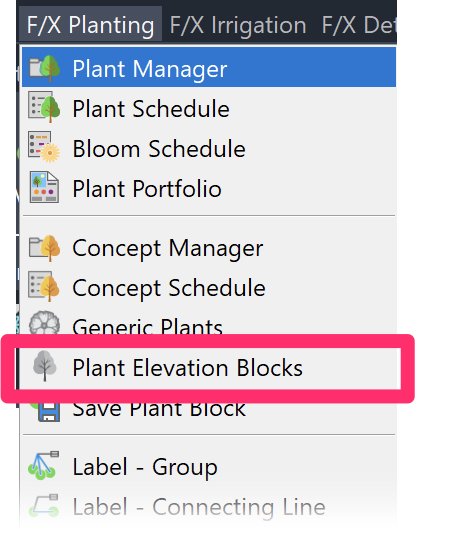
F/X Planting menu


F/X Planting menu, Plant Elevation Blocks option


You'll be brought to our Elevation Graphics library, where you can choose from a number of tree and shrub symbols in elevation view to place in your drawing or detail.


Elevation Graphics dialog box

For information on how our Elevation Graphics tool works, see our Elevation Graphics documentation.

Contact

  • Land F/X
  • PMB 351 3940 Broad St. STE 7
    San Luis Obispo, CA 93401
  • +1 805-541-1003
Email Logo Facebook Logo Instagram Logo LinkedIn Logo
Land F/X Logo

Our software tailors AutoCAD®, Revit®, SketchUp®, and Rhino® to the needs of landscape architects, irrigation designers, and other professionals. We automate your most tedious tasks and ensure accuracy, giving you more time to design.

  • Portal
  • Products
  • Support
  • Videos
  • Who We Are