

Land F/X
  • Portal
  • Products
    • Detail F/X
      • Product
      • Features
      • Trial
      • Purchase
    • Planting F/X
      • Product
      • Features
      • Trial
      • Purchase
    • Irrigation F/X
      • Product
      • Features
      • Trial
      • Purchase
    • F/X CAD
    • Plugin for Revit®
    • Plugin for SketchUp®
    • Plugin for Rhino®
    • Site & Hardscape
    • Lighting
    • Manufacturer Connection
    • Academic
    • Purchase
  • Support
    • Knowledge Base
    • Documentation
    • Submit Ticket
    • Updates
    • Forum
    • Install
  • Videos
    • Power Tips
    • Webinars
    • Podcasts
  • Who We Are
    • Contact Us
    • Careers
    • Gallery
    • News
Land F/X
  • Portal
  • Products
    • Detail F/X
      • Product
      • Features
      • Trial
      • Purchase
    • Planting F/X
      • Product
      • Features
      • Trial
      • Purchase
    • Irrigation F/X
      • Product
      • Features
      • Trial
      • Purchase
    • F/X CAD
    • Plugin for Revit®
    • Plugin for SketchUp®
    • Plugin for Rhino®
    • Site & Hardscape
    • Lighting
    • Manufacturer Connection
    • Academic
    • Purchase
  • Support
    • Knowledge Base
    • Documentation
    • Submit Ticket
    • Updates
    • Forum
    • Install
  • Videos
    • Power Tips
    • Webinars
    • Podcasts
  • Who We Are
    • Contact Us
    • Careers
    • Gallery
    • News
  1. Home
  2. Documentation
  3. SketchUp Overview
  4. SketchUp Tools
  5. Convert to Smart Object: Planting F/X for SketchUp Plugin

[]
https://www.landfx.com/20.png

Convert to Smart Object: Planting F/X for SketchUp Plugin

Updated on: June 11, 2026

Quick video

Power Tip: Land F/X SketchUp Plugin
x

Power Tip: Land F/X SketchUp Plugin

  • Convert to Smart Object Overview
    • Converting an Object into a Tree or Shrub
    • Converting an Object into a Site Amenity
  • Troubleshooting

After importing generic content or using our Place Generic Content tool to place generic objects in your SketchUp model, you can use our Convert to Smart Object tool to attach Land F/X data to those objects.

Convert to Smart Object Overview

To begin converting generic objects to smart objects in SketchUp, you can either:


  • Right-click a generic object in your model, or ...

Open our Object Info tool from the Land F/X toolbar, then select a generic object in your model.


LandFX toolbar in SketchUp, Object Infot button


In the prompt that appears, use the Type menu to select whether the object will represent a tree, shrub, or site amenity. then click OK.

Convert to Smart Object dialog box in SketchUp, overview


Converting an Object into a Tree or Shrub
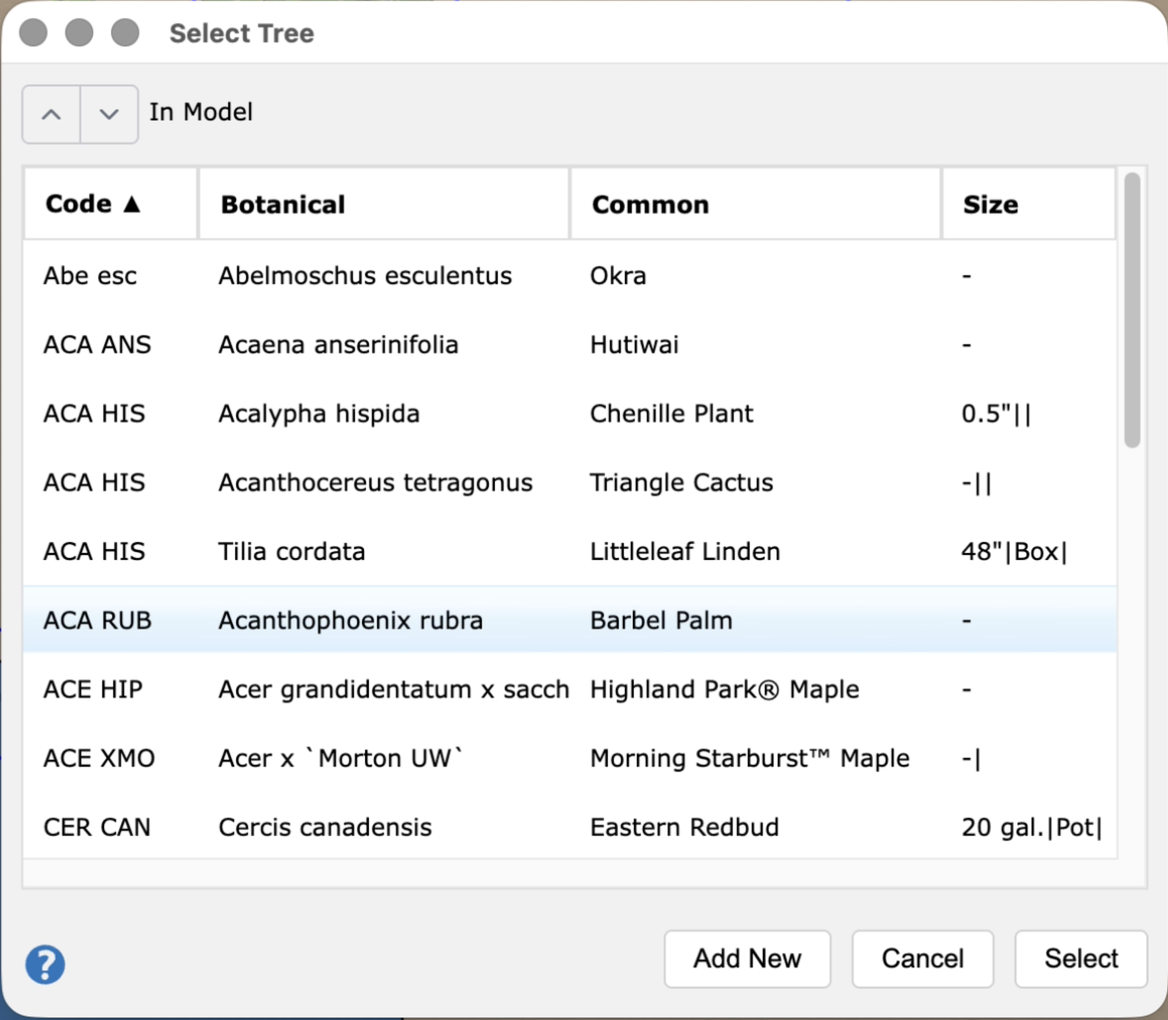
Select Tree dialog box in SketchUp

If you choose the option to convert an object into a tree or shrub, the Select Tree or Select Shrub dialog box will open. You can now:

  • Assign the component to an existing plant from your project plants palette, or ...
  • Add a new plant to your project, which will replace the generic object in your SketchUp model.


In either case, the Plant Info dialog will open at this point.


Make any additional edits to the plant's data, then click OK to apply your edits to the object in your SketchUp model.
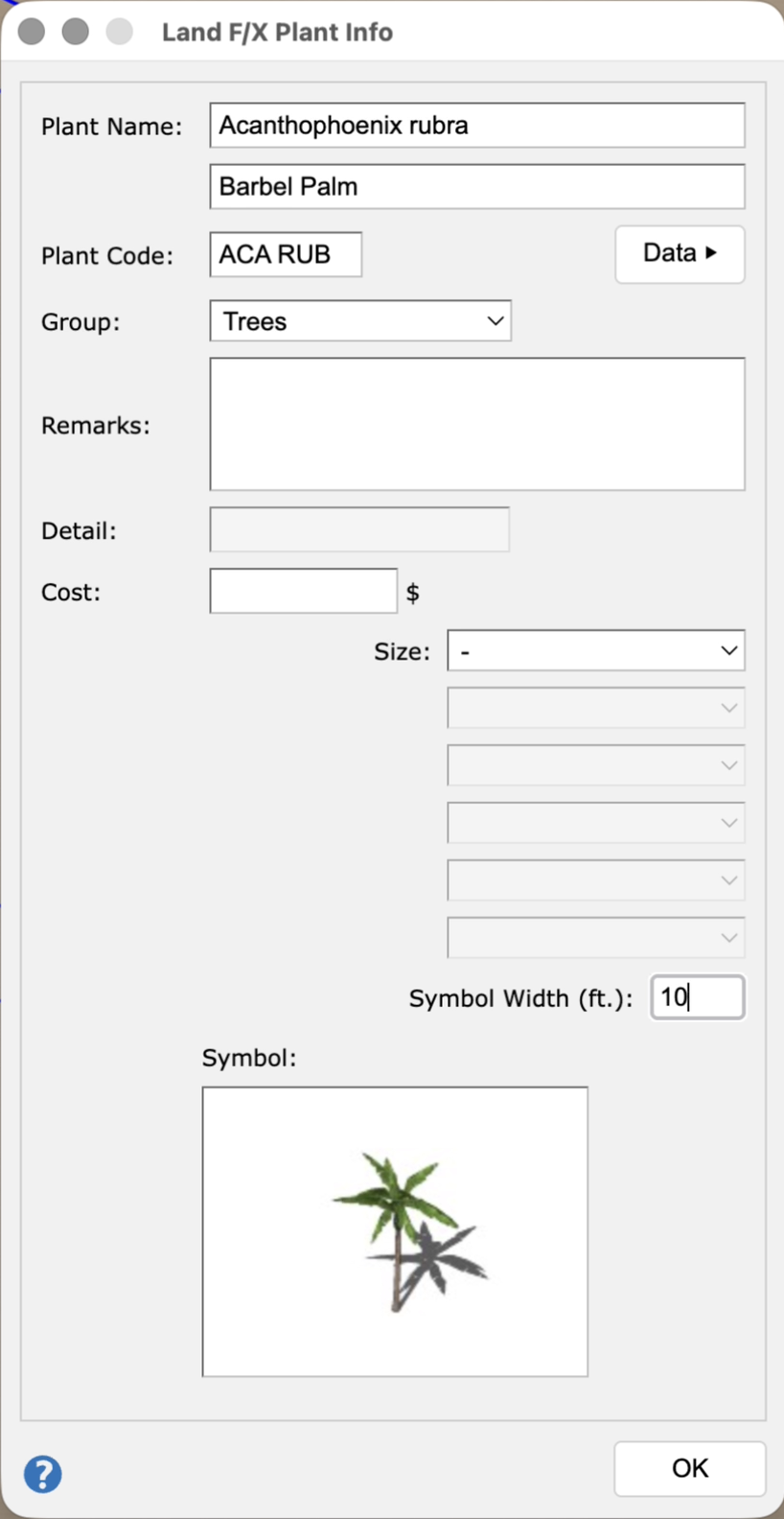
Plant Info dialog box in SketchUp

Converting an Object into a Site Amenity

Site Info dialog box in SketchUp

If you select the option to convert an object into a site amenity, the Site Info dialog box will open.


Make any edits to the site amenity's data, then click OK to apply your edits to the object in your SketchUp model.

Troubleshooting

SketchUp: Basic troubleshooting (adding, placing, importing objects)


Issue: You are unable to select a 3D symbol in SketchUp


Issue: Our Planting F/X Plugin for SketchUp freezes or becomes unresponsive


Issue: Clicking one of the Land F/X tool buttons in SketchUp does nothing


Issue: While using our Planting F/X Plugin for SketchUp, you attempted to click a tool and its corresponding dialog box doesn't open, but other tools' dialog boxes are opening correctly

Contact

  • Land F/X
  • PMB 351 3940 Broad St. STE 7
    San Luis Obispo, CA 93401
  • +1 805-541-1003
Email Logo Facebook Logo Instagram Logo LinkedIn Logo
Land F/X Logo

Our software tailors AutoCAD®, Revit®, SketchUp®, and Rhino® to the needs of landscape architects, irrigation designers, and other professionals. We automate your most tedious tasks and ensure accuracy, giving you more time to design.

  • Portal
  • Products
  • Support
  • Videos
  • Who We Are