

Planting F/X Notice! Drawing Uses Instance Parameters (Opening a Project in Revit®)
Updated on: February 18, 2026
Issue
You saw the following message when opening a Revit project:
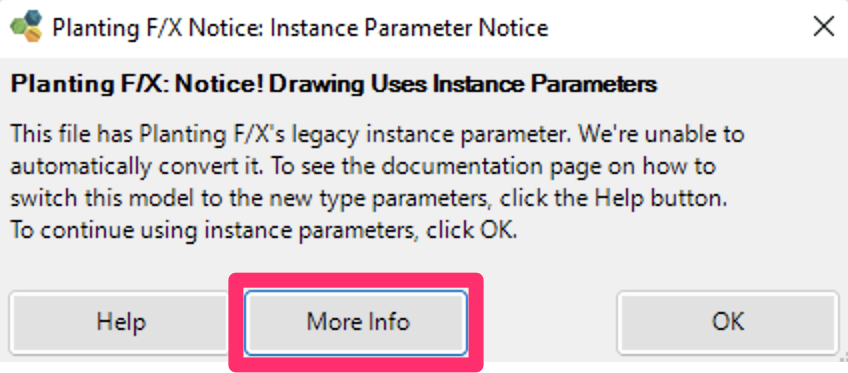
Planting F/X Notice: Instance Parameter Notice
Planting F/X Notice! Drawing Uses Instance Parameters
The file has Planting F/X's legacy instance parameter. We're unable to automatically convert it! To see the documentation page on how to switch this model to the new type parameters, click the Help button. To continue using instance parameters, click OK.

You may have seen the message after either:
- Updating to the latest version of our Planting F/X Plugin for Revit, or
- Installing the latest version of our Planting F/X Plugin for Revit to get the planting tools into Revit 2025
You previously used the Land F/X tools in this file (possibly before upgrading it to 2025).
Upgrading your model from instance to type parameters is optional. All Planting F/X tools will continue to work with plants using instance parameters for the time being, although his capability may be phased out in the future. This dialog is just a notice allowing you to keep track of which files you've upgraded and which you haven't. The only way to prevent this notice from appearing is to upgrade the model.
Cause
With Planting F/X version 2.0, we updated to type parameters in all our plants. Our F/X Planting Plugin is moving fast, and we decided we needed to get this change out sooner but without impacting existing projects unless needed. Upgrading an existing project that used instance parameters on plants would need to be a manual process as a result, but we will continue to support those old instance parameter projects for a reasonable time. This message will pop up every time you open the file with instance parameters, as the benefits of type parameters will make it worth that effort to upgrade your project, rather than holding a project as instance parameters forever.
Important Note: Read Before Upgrading!
We were able to support Toposolid subdivisions with instance parameters but were not able to with type parameters because Revit 2024 and 2025 do not currently support a separate type for a subdivision.
Revit also doesn't allow us to have Type and instance parameters of the same name in the same drawing, which is why you'll need to follow the steps below to remove the old instance parameters. As a result, the current version cannot place groundcovers on a toposolid subdivision. If your design relies on doing so, you'll need to choose to either
- Not change the file from instance to type parameters, or
- Plan to divide your subdivisions into separate toposolids
Toposolid subdivision type parameters are now supported in Revit version 2026 and newer.
Solution
Step 1 (if desired): View the LAFX parameters in use.
At this point, you can choose to click More info to view a list of the LAFX parameters currently in use in your file.
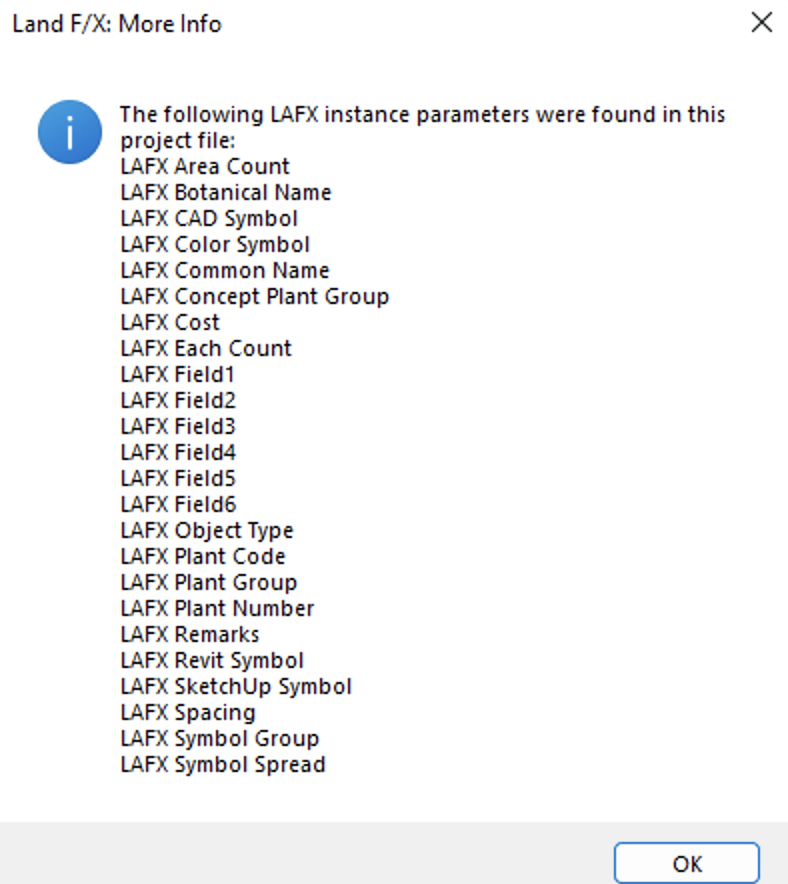
You'll now see a list showing which LAFX parameters are still instance parameters in your drawing, in case there's a mix of type and instance.
Step 2: Use the LANDFXPARAMETERREFRESH command to change parameters to type.
2A. Open our Console tool in Revit.
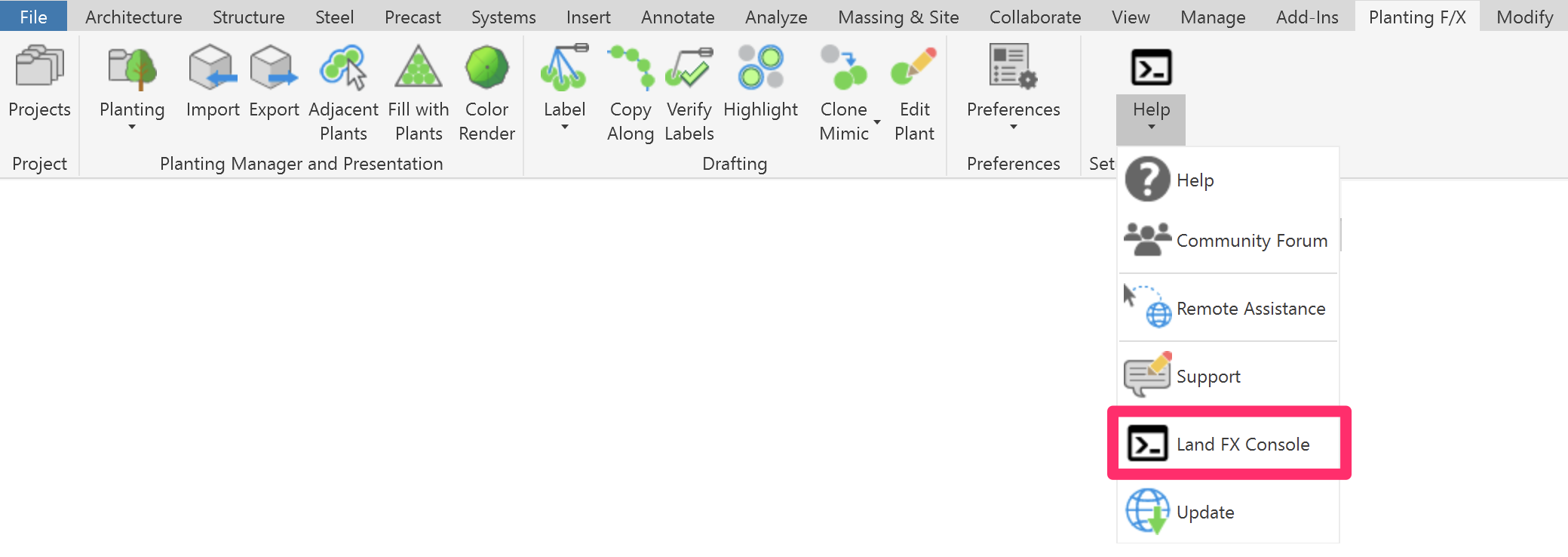
2B. In the Console, type LFXPR
2C. This command will change all LAFX parameters to type, clean up any missing parameters, and re-populate the data automatically.
2D. Save the Revit file and restart Revit. Now when you open it again, you shouldn't see the instance parameter message. If you came to this page from another documentation page to fix an issue resulting from using instance parameters, return to that page and continue any additional troubleshooting steps there.
Revit® is a restricted trademark of Autodesk®.