

Land F/X
  • Portal
  • Products
    • Detail F/X
      • Product
      • Features
      • Trial
      • Purchase
    • Planting F/X
      • Product
      • Features
      • Trial
      • Purchase
    • Irrigation F/X
      • Product
      • Features
      • Trial
      • Purchase
    • F/X CAD
    • Plugin for Revit®
    • Plugin for SketchUp®
    • Plugin for Rhino®
    • Site & Hardscape
    • Lighting
    • Manufacturer Connection
    • Academic
    • Purchase
  • Support
    • Knowledge Base
    • Documentation
    • Submit Ticket
    • Updates
    • Forum
    • Install
  • Videos
    • Power Tips
    • Webinars
    • Podcasts
  • Who We Are
    • Contact Us
    • Careers
    • Gallery
    • News
Land F/X
  • Portal
  • Products
    • Detail F/X
      • Product
      • Features
      • Trial
      • Purchase
    • Planting F/X
      • Product
      • Features
      • Trial
      • Purchase
    • Irrigation F/X
      • Product
      • Features
      • Trial
      • Purchase
    • F/X CAD
    • Plugin for Revit®
    • Plugin for SketchUp®
    • Plugin for Rhino®
    • Site & Hardscape
    • Lighting
    • Manufacturer Connection
    • Academic
    • Purchase
  • Support
    • Knowledge Base
    • Documentation
    • Submit Ticket
    • Updates
    • Forum
    • Install
  • Videos
    • Power Tips
    • Webinars
    • Podcasts
  • Who We Are
    • Contact Us
    • Careers
    • Gallery
    • News
  1. Home
  2. Knowledge Base
  3. Admin
  4. Errors: Admin
  5. This Workstation Does Not Appear to Be Configured Correctly for Land F/X (Opening AutoCAD or F/X CAD)

    Error Opening Installation Log File (Installing the Land F/X Workstation Component)

    Updated on: May 09, 2022

    Issue


    You saw the following error message:

    Error opening installation log file. Verify that the specified log file location exists and is writable.
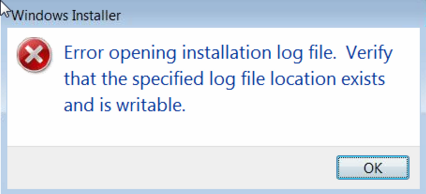
    Error opening installation log file message


    You may have received this error when attempting to download and run the latest F/X Workstation installer.


    Cause

    This error can result from:

    • A permissions issue with your LandFX folder
    • A corrupt drawing


    Solution


    1. Ensure that your computer has read-write access to the LandFX folder.

    You may need to ask your network administrator to help with this step.


    2. Once you've confirmed that your computer has read-write access to the LandFX folder, restart your computer.


    3. Try opening a new, blank DWG drawing.


    4. If you don't see an error message in the new drawing, open an existing drawing other than the one you had open when you first saw the error message.


    5. If you don't see an error message when opening the existing drawing, the issue is the result of corruption in the original drawing you had open when you first saw the error message. Open that drawing, and follow our drawing cleanup steps.

    Contact

    • Land F/X
    • PMB 351 3940 Broad St. STE 7
      San Luis Obispo, CA 93401
    • +1 805-541-1003
    Email Logo Facebook Logo Instagram Logo LinkedIn Logo
    Land F/X Logo

    Our software tailors AutoCAD®, Revit®, SketchUp®, and Rhino® to the needs of landscape architects, irrigation designers, and other professionals. We automate your most tedious tasks and ensure accuracy, giving you more time to design.

    • Portal
    • Products
    • Support
    • Videos
    • Who We Are