

Land F/X
  • Portal
  • Products
    • Detail F/X
      • Product
      • Features
      • Trial
      • Purchase
    • Planting F/X
      • Product
      • Features
      • Trial
      • Purchase
    • Irrigation F/X
      • Product
      • Features
      • Trial
      • Purchase
    • F/X CAD
    • Plugin for Revit®
    • Plugin for SketchUp®
    • Plugin for Rhino®
    • Site & Hardscape
    • Lighting
    • Manufacturer Connection
    • Academic
    • Purchase
  • Support
    • Knowledge Base
    • Documentation
    • Submit Ticket
    • Updates
    • Forum
    • Install
  • Videos
    • Power Tips
    • Webinars
    • Podcasts
  • Who We Are
    • Contact Us
    • Careers
    • Gallery
    • News
Land F/X
  • Portal
  • Products
    • Detail F/X
      • Product
      • Features
      • Trial
      • Purchase
    • Planting F/X
      • Product
      • Features
      • Trial
      • Purchase
    • Irrigation F/X
      • Product
      • Features
      • Trial
      • Purchase
    • F/X CAD
    • Plugin for Revit®
    • Plugin for SketchUp®
    • Plugin for Rhino®
    • Site & Hardscape
    • Lighting
    • Manufacturer Connection
    • Academic
    • Purchase
  • Support
    • Knowledge Base
    • Documentation
    • Submit Ticket
    • Updates
    • Forum
    • Install
  • Videos
    • Power Tips
    • Webinars
    • Podcasts
  • Who We Are
    • Contact Us
    • Careers
    • Gallery
    • News
  1. Home
  2. Knowledge Base
  3. Irrigation
  4. Adding & Editing Equipment
  5. Creating a Custom Flow (GPM) for a Specific Valve

    []

    Changing Nozzle or Size Options in the Irrigation Manager: Selected Option Is Not Applied to Placed Equipment

    Updated on: August 05, 2022

    Issue

    You want to change the size of a piece of irrigation equipment (heads, valves, auxiliary equipment, or drip equipment) from the Irrigation Manager, but the size you select isn't being applied when you place the equipment. 


    You selected the equipment in the Irrigation Manager and clicked Edit.

    Irrigation Manager, Edit button


    Equipment Info dialog box, Size menu, .25 option

    You then selected a new size from the Size menu (example: changing the size to .25 GPM).


    However, once you placed the equipment, the original size (example: .5 GPM) still applied to the equipment.
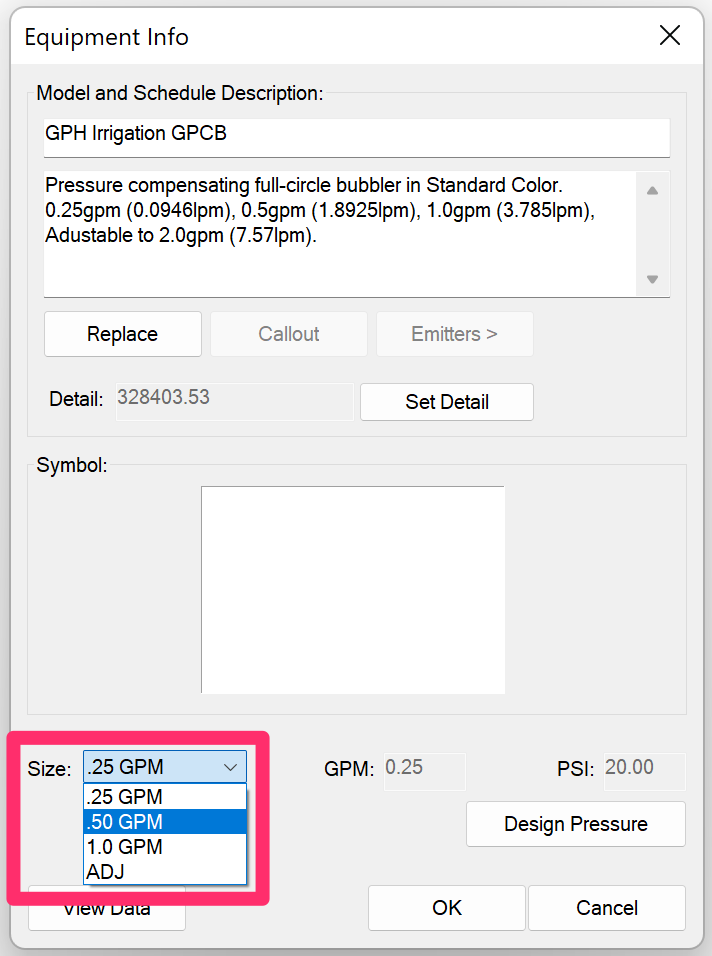
    Equipment Info dialog box, Size menu, .5 option


    Cause

    The nature of editing equipment from the Irrigation Manager requires that it is not possible to select a new size of equipment in this way. Instead, you can use one of the methods described below.


    Solution

    You have two options for selecting a new size for a piece of equipment:


    Option 1: Use the Specific Tool for the Selected Equipment

    Depending on the type of equipment you're placing, use the appropriate tool for placing that equipment. This can include:

    • Standard spray heads
    • Rotary heads
    • Rotor heads
    • Drip emitters and heads
    • Auxiliary equipment


    When you select one of these tools, a dialog box will open listing the equipment of that type.


    There, you can select a size for the equipment before placing it.
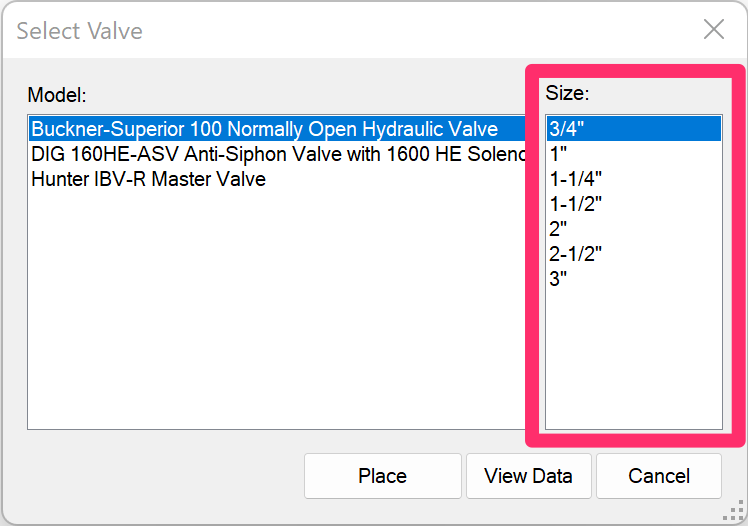
    Select Valve dialog box, Size options


    Option 2: Check the Box to "Show Components"


    Irrigation Manager, Show Components option

    You can also select an equipment size from directly within the Irrigation Manager by checking the box to Show Components.


    As shown in the image to the left, the various sizes of each component in the selected category (Heads, Valves, Auxiliary Equipment, or Drip) will populate in the list. You can then select a size and click Place to place that size of the selected equipment.

    We purposely engineered this feature to not include all sizes of each piece of added equipment by default – mainly because it makes the list of added equipment inordinately long.

    Contact

    • Land F/X
    • PMB 351 3940 Broad St. STE 7
      San Luis Obispo, CA 93401
    • +1 805-541-1003
    Email Logo Facebook Logo Instagram Logo LinkedIn Logo
    Land F/X Logo

    Our software tailors AutoCAD®, Revit®, SketchUp®, and Rhino® to the needs of landscape architects, irrigation designers, and other professionals. We automate your most tedious tasks and ensure accuracy, giving you more time to design.

    • Portal
    • Products
    • Support
    • Videos
    • Who We Are