Land F/X
  • Portal
  • Products
    • Detail F/X
      • Product
      • Features
      • Trial
      • Purchase
    • Planting F/X
      • Product
      • Features
      • Trial
      • Purchase
    • Irrigation F/X
      • Product
      • Features
      • Trial
      • Purchase
    • F/X CAD
    • Plugin for Revit®
    • Plugin for SketchUp®
    • Plugin for Rhino®
    • Site & Hardscape
    • Lighting
    • Manufacturer Connection
    • Academic
    • Purchase
  • Support
    • Knowledge Base
    • Documentation
    • Submit Ticket
    • Updates
    • Forum
    • Install
  • Videos
    • Power Tips
    • Webinars
    • Podcasts
  • Who We Are
    • Contact Us
    • Careers
    • Gallery
    • News
Land F/X
  • Portal
  • Products
    • Detail F/X
      • Product
      • Features
      • Trial
      • Purchase
    • Planting F/X
      • Product
      • Features
      • Trial
      • Purchase
    • Irrigation F/X
      • Product
      • Features
      • Trial
      • Purchase
    • F/X CAD
    • Plugin for Revit®
    • Plugin for SketchUp®
    • Plugin for Rhino®
    • Site & Hardscape
    • Lighting
    • Manufacturer Connection
    • Academic
    • Purchase
  • Support
    • Knowledge Base
    • Documentation
    • Submit Ticket
    • Updates
    • Forum
    • Install
  • Videos
    • Power Tips
    • Webinars
    • Podcasts
  • Who We Are
    • Contact Us
    • Careers
    • Gallery
    • News
  1. Home
  2. Knowledge Base
  3. Admin
  4. Errors: Admin
  5. This Workstation Does Not Appear to Be Configured Correctly for Land F/X (Opening AutoCAD or F/X CAD)

    You Do Not Have Sufficient Permissions to Save Into the Specified Location (Creating or Editing a Folder in the Project List, Organization Tab)

    Updated on: May 19, 2025

    Issue

    You saw the following error message when trying to create or edit a folder under the Organization tab in our Land F/X Projects dialog box:

    You do not have sufficient permissions to save into the specified location.


    Cause

    If you're trying to create a folder in a new project you started based on a template, you may not be on the permissions list in the template, and therefore don't have write access.


    If you're trying to edit a folder, the folder you're trying to edit is likely tied to a Land F/X project or template that you similarly don't have write access to.

    You might also be seeing this error because your user account on the network does not have Write permissions to the folder on the network. In this case, you'll need to establish Write access the the LandFX\Details folder and all subfolders.

    Trying to save a standard detail? Permission to save to a standard detail location is governed by the Preference Set permissions.


    Solution

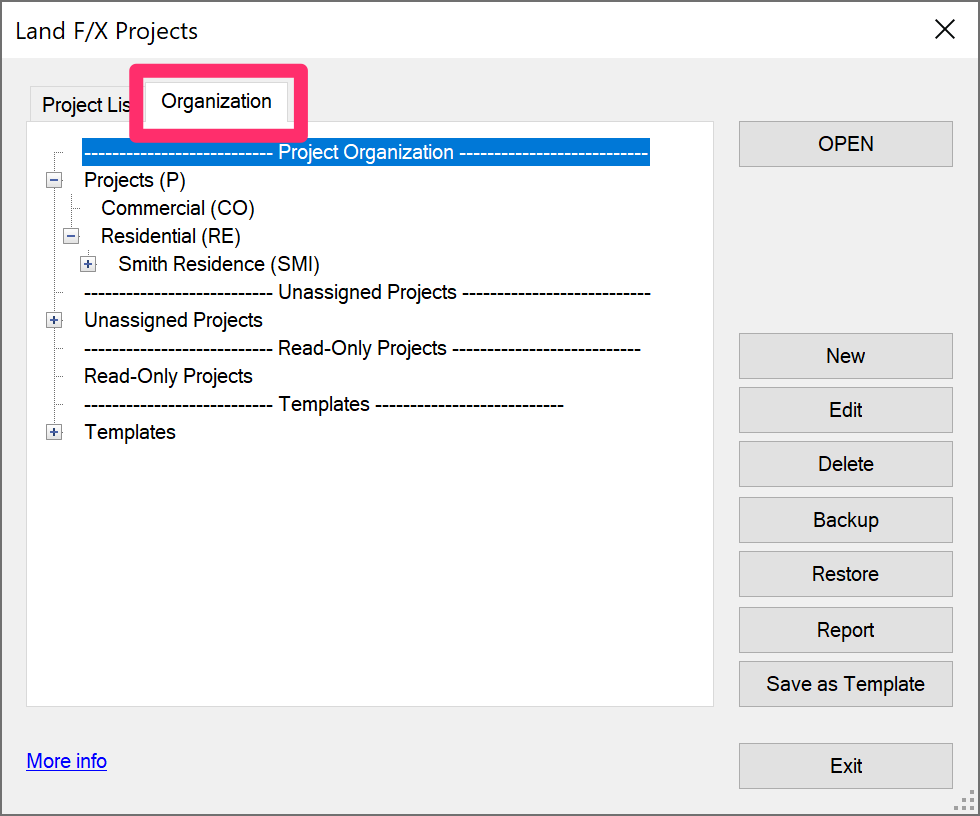
    Click Report while in the Organization tab of the Land F/X Projects dialog box.


    As a result, you'll create a report of which projects are tied to which folders to determine which project or template whose permissions you need to be added to.


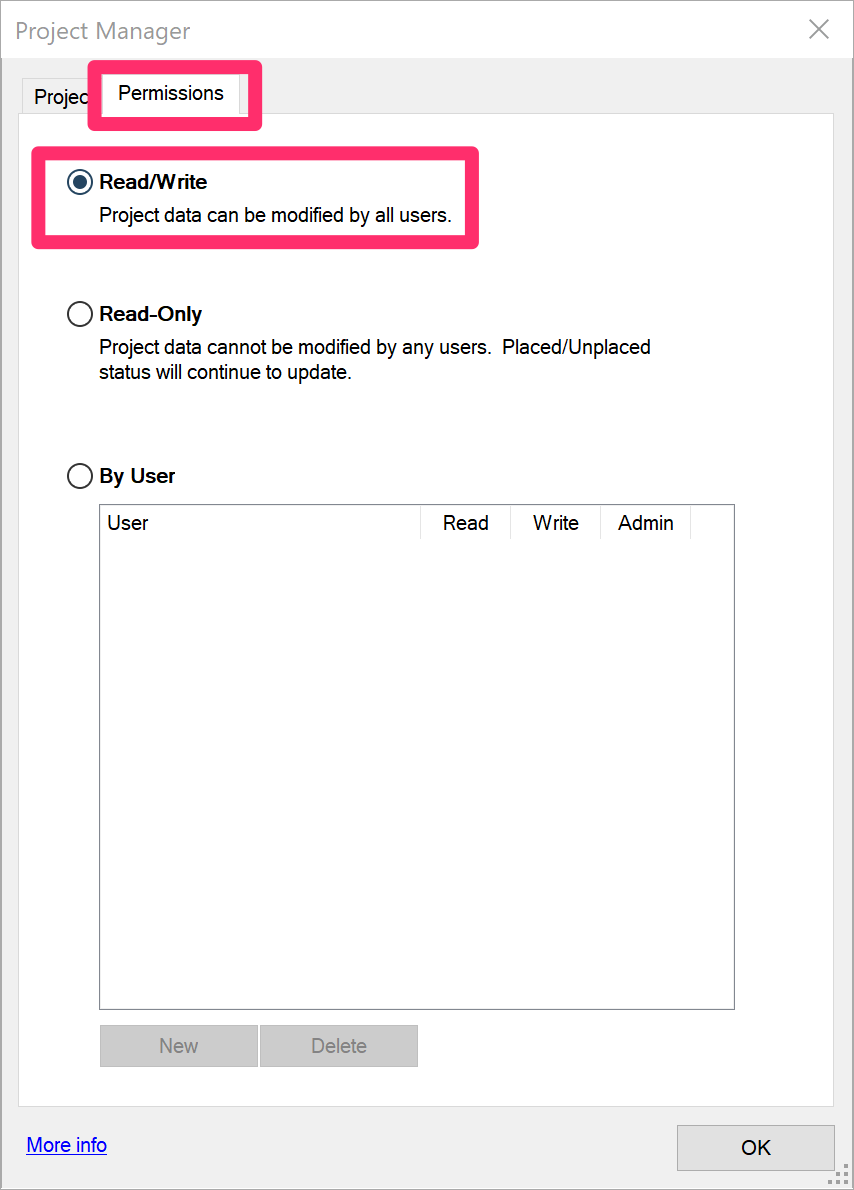
    Need permission for a project? The person designated as an administrator for that project will need to give you read and write permissions in the Project Manager, Permissions tab.


    Need permission for a template? Your office will need to grant you read and write permissions for that template.


    Seeing this message when trying to save a standard detail? Permission to save standard details is governed by the Preference Set permissions.
    Contact

    • Land F/X
    • PMB 351 3940 Broad St. STE 7
      San Luis Obispo, CA 93401
    • +1 805-541-1003
    Email Logo Facebook Logo Instagram Logo LinkedIn Logo
    Land F/X Logo

    Our software tailors AutoCAD®, Revit®, SketchUp®, and Rhino® to the needs of landscape architects, irrigation designers, and other professionals. We automate your most tedious tasks and ensure accuracy, giving you more time to design.

    • Portal
    • Products
    • Support
    • Videos
    • Who We Are