Land F/X
  • Portal
  • Products
    • Detail F/X
      • Product
      • Features
      • Trial
      • Purchase
    • Planting F/X
      • Product
      • Features
      • Trial
      • Purchase
    • Irrigation F/X
      • Product
      • Features
      • Trial
      • Purchase
    • F/X CAD
    • Plugin for Revit®
    • Plugin for SketchUp®
    • Plugin for Rhino®
    • Site & Hardscape
    • Lighting
    • Manufacturer Connection
    • Academic
    • Purchase
  • Support
    • Knowledge Base
    • Documentation
    • Submit Ticket
    • Updates
    • Forum
    • Install
  • Videos
    • Power Tips
    • Webinars
    • Podcasts
  • Who We Are
    • Contact Us
    • Careers
    • Gallery
    • News
Land F/X
  • Portal
  • Products
    • Detail F/X
      • Product
      • Features
      • Trial
      • Purchase
    • Planting F/X
      • Product
      • Features
      • Trial
      • Purchase
    • Irrigation F/X
      • Product
      • Features
      • Trial
      • Purchase
    • F/X CAD
    • Plugin for Revit®
    • Plugin for SketchUp®
    • Plugin for Rhino®
    • Site & Hardscape
    • Lighting
    • Manufacturer Connection
    • Academic
    • Purchase
  • Support
    • Knowledge Base
    • Documentation
    • Submit Ticket
    • Updates
    • Forum
    • Install
  • Videos
    • Power Tips
    • Webinars
    • Podcasts
  • Who We Are
    • Contact Us
    • Careers
    • Gallery
    • News
  1. Home
  2. Knowledge Base
  3. F/X CAD & AutoCAD
  4. Basic Troubleshooting: F/X CAD & AutoCAD
  5. F/X CAD 2024 Updater

    F/X CAD 2024 Updater

    Updated on: July 21, 2025

    F/X CAD 2026 UpdaterF/X CAD 2025 UpdaterF/X CAD 2024 UpdaterF/X CAD 2023 UpdaterF/X CAD 2022 Updater


    Quick video

    Power Tip: How To Update F/X CAD
    x

    Power Tip: How To Update F/X CAD

    We've simplified the process for applying updates to F/X CAD that improve performance and repair bugs.


    Update 2024.1.6 Release Notes: October 17, 2024


    Here are the official Autodesk release notes for Update 2024.1.6 Original source


    Fixed Issues

    Autodesk Trust Center

    For the latest information regarding the security fixes in this Update, refer to the Security Advisories:

    • ADSK-SA-2024-0014
    • ADSK-SA-2024-0020


    General Update Content

    The following defects have been fixed:


    General
    • The external reference drawing paths are now correct in the Reference Explorer of Desktop Connector when uploading drawings to Autodesk Construction Cloud using the Autodesk DWG Migration for Docs tool.
    • In a complex drawing file, when using editing commands like ERASE and selecting objects, the zoom area box size adjusts and follows the cursor movement, functioning like the ZOOM command (Dynamic option).
    • After editing, the value and text of dimensions remain aligned in the middle location as originally created.
    • Underlined text appears as a single underline in the PDF output when the PDFSHX system variable is set to 2.
    • Some custom objects from Plant 3D are plotted to the correct layers when using the AutoCAD PDF printer.


     Close


    When an update is available, you'll see a notice telling you so when you open F/X CAD 2024. At that point, you'll first need to export your F/X CAD settings.


    Next, use the link below to download and install the updater. Right-click the F/X CAD 2024 Updater download link below.

    {jumi[*167]}


    Select Save Target As or Save Link As from the menu that opens, and save the file to your desktop.


    Go to your desktop, and double-click the file fxcad2024_Updater (or fxcad2024_Updater.exe).
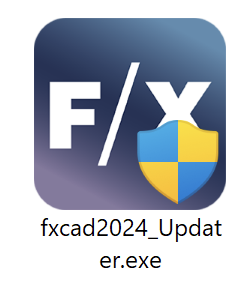
    fxcad_2024_Updater file


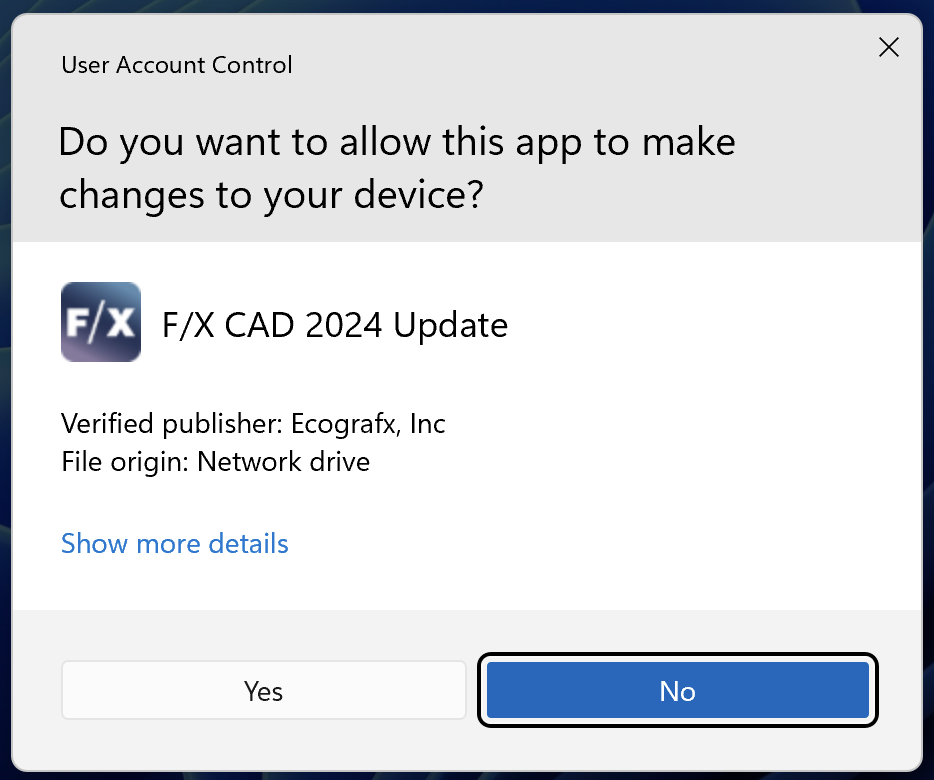
    Do you want this app to make changes to your device?

    If asked whether you want to allow this app to make changes to your device, click Yes.


    You'll be asked, Install F/X CAD 2024 Update?


    Click Install to install the update.


    We highly recommend selecting the option to Backup and restore customizations before and after the Upgrade to save and restore your settings. This option will be selected by default.

    Install prompt for F/X CAD 2024 Updater


    Reminder that some dialog boxes may appear behind our windows

    You'll see a reminder that some dialog boxes may appear behind our windows, and to look for and click a flashing icon on the taskbar if the installation process appears to be frozen.


    Click OK.

    Because the Autodesk tool is not under our control, some dialog boxes may appear behind ours during installation – generally the confirmation dialog boxes you'll see after successfully exporting or importing your CAD settings, as pictured below. Our update will not progress until you close those dialog boxes.


    If you selected the option to back up your customized settings, you'll see an Export Custom Settings dialog box.


    Click Export to begin backing up your customized settings.

    .
    Prompt to export customizations


    Your migration package has been successfully saved message

    If you chose to export your customized settings, you'll see a message that your migration package has been successfully saved. Take note of the location shown in the dialog box, then click OK.


    You'll now be able to import your custom settings. Navigate to the location, shown in the previous step, where your custom settings were saved.


    Import Custom Settings dialog box


    You'll see an Import Custom Settings dialog box showing that your custom settings have been imported.

    Prompt to import customizations

    Contact

    • Land F/X
    • PMB 351 3940 Broad St. STE 7
      San Luis Obispo, CA 93401
    • +1 805-541-1003
    Email Logo Facebook Logo Instagram Logo LinkedIn Logo
    Land F/X Logo

    Our software tailors AutoCAD®, Revit®, SketchUp®, and Rhino® to the needs of landscape architects, irrigation designers, and other professionals. We automate your most tedious tasks and ensure accuracy, giving you more time to design.

    • Portal
    • Products
    • Support
    • Videos
    • Who We Are