

Land F/X
  • Portal
  • Products
    • Detail F/X
      • Product
      • Features
      • Trial
      • Purchase
    • Planting F/X
      • Product
      • Features
      • Trial
      • Purchase
    • Irrigation F/X
      • Product
      • Features
      • Trial
      • Purchase
    • F/X CAD
    • Plugin for Revit®
    • Plugin for SketchUp®
    • Plugin for Rhino®
    • Site & Hardscape
    • Lighting
    • Manufacturer Connection
    • Academic
    • Purchase
  • Support
    • Knowledge Base
    • Documentation
    • Submit Ticket
    • Updates
    • Forum
    • Install
  • Videos
    • Power Tips
    • Webinars
    • Podcasts
  • Who We Are
    • Contact Us
    • Careers
    • Gallery
    • News
Land F/X
  • Portal
  • Products
    • Detail F/X
      • Product
      • Features
      • Trial
      • Purchase
    • Planting F/X
      • Product
      • Features
      • Trial
      • Purchase
    • Irrigation F/X
      • Product
      • Features
      • Trial
      • Purchase
    • F/X CAD
    • Plugin for Revit®
    • Plugin for SketchUp®
    • Plugin for Rhino®
    • Site & Hardscape
    • Lighting
    • Manufacturer Connection
    • Academic
    • Purchase
  • Support
    • Knowledge Base
    • Documentation
    • Submit Ticket
    • Updates
    • Forum
    • Install
  • Videos
    • Power Tips
    • Webinars
    • Podcasts
  • Who We Are
    • Contact Us
    • Careers
    • Gallery
    • News
  1. Home
  2. Knowledge Base
  3. Irrigation
  4. Symbols, Blocks & Hatches
  5. Irrigation Symbols Displaying as the Incorrect Family

    Irrigation Symbols (Blocks, Text, and Background Masks) Showing Up All White, or Letters or Numbers Are Not Visible Within the Symbols

    Updated on: February 22, 2023

    Issue

    Your irrigation symbols (blocks, text, and background masks) are showing up white, and the letters or numbers are missing from the symbols – or the text is simply showing up in the same color as the symbols, so it it is not showing up.

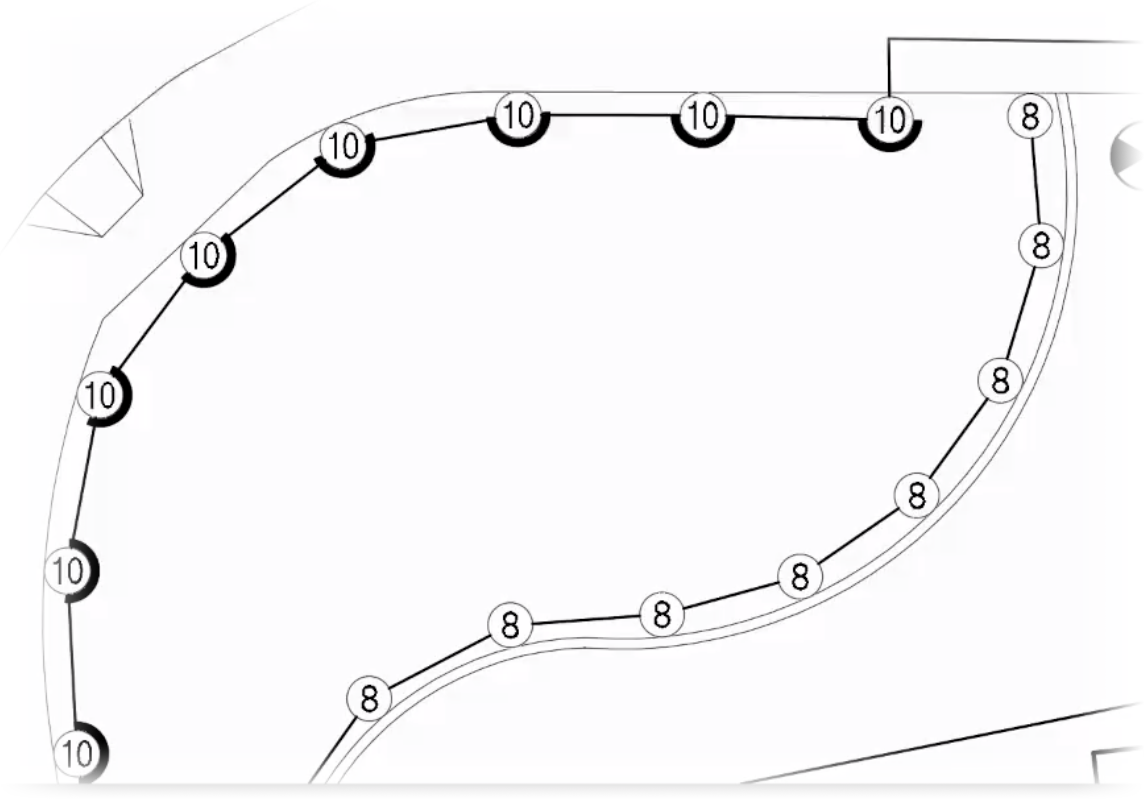
    Irrigation symbols showing up white with numbers missing


    Plot Preview showing numbers appearing correctly within equipment symbols


    However, if you plot or run a plot preview, the text showing up as it should on the symbols.


    Cause

    We've seen this issue occur in drawings with a black background, as pictured above, where the older versions of our irrigation symbols have been used. The background masks of our irrigation symbols once used color 255 (i.e., white) by default, which allowed them to plot as white. The mask layer now uses color 133. If you see these all-white masks, you're likely using our old symbols in your drawing.


    Solution

    Try updating to our latest irrigation blocks. You may need to swap out the old heads for the new versions by placing a newer symbol off to the side and then using our Mimic Equipment tool to replace the older symbols with the newer versions.

    Contact

    • Land F/X
    • PMB 351 3940 Broad St. STE 7
      San Luis Obispo, CA 93401
    • +1 805-541-1003
    Email Logo Facebook Logo Instagram Logo LinkedIn Logo
    Land F/X Logo

    Our software tailors AutoCAD®, Revit®, SketchUp®, and Rhino® to the needs of landscape architects, irrigation designers, and other professionals. We automate your most tedious tasks and ensure accuracy, giving you more time to design.

    • Portal
    • Products
    • Support
    • Videos
    • Who We Are