

Error Creating Folder, or I Was Unable to Copy a File to the LandFX Folder
Updated on: May 16, 2022
Issue
You received an error message similar to one or both of the following:
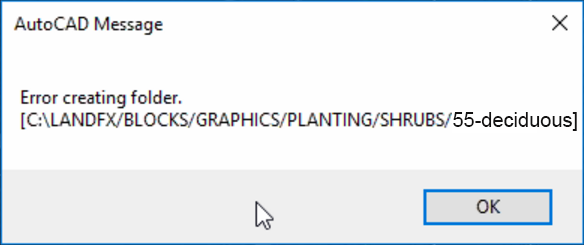
- Error creating folder
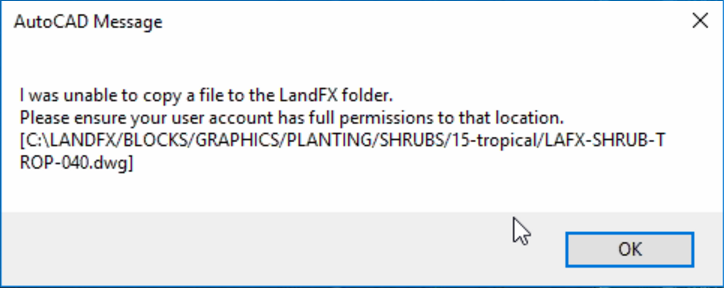
- I was unable to copy a file to the LandFX folder. Please ensure your user account has full permissions to that location.
Cause
You may be seeing this error because:
- You're operating Land F/X with a shared online folder using the OneDrive service, which can cause issues with mapping a letter drive to your LandFX folder – especially if you're also seeing a Cannot create folder at ... error. If not, it may be that:
- Your computer lacks the proper permissions for the LandFX folder, and/or
- You are lacking one or more necessary folder directories in your LandFX folder. We've seen this issue occur from time to time, and we're currently working on building a permanent solution.
Solution
Step 1 (OneDrive users only): Resolve a drive mapping issue
If you're using a shared online folder on the OneDrive service, you may also an error similar to the following:
Error: Cannot create folder at L:/Blocks
If you're using OneDrive and are seeing any of the errors listed in this article, including the Cannot create folder error, your first step should be to disconnect your current mapped drive and re-map your LandFX folder using our drive mapper tool.
Not using OneDrive? Or did you try re-mapping your letter drive and you're still seeing errore? Move on to the next step.
Step 2: Permissions
To resolve the issue, you'll need to give yourself – or the user whose computer is causing the error – read/write permissions for the LandFX folder.
From the computer that is causing the issue, follow our instructions to grant read/write permissions for the LandFX folder.
Once you've granted that computer read/write permissions to the LandFX folder, try completing the same action in AutoCAD that triggered the error. Are you able to complete the action in AutoCAD without seeing the error? You've solved the problem.
Still getting the error? Move on to Step 3.
Step 3 (If Necessary): Create Folder Directories
If you're still getting the error, you may be lacking some necessary directories.
Take a look at the error message, and take note of the folder directory it references.
In our example, the error references the folder LandFX/Blocks/Graphics/Planting/Trees/55-deciduous.
To address the issue, we'll look for the folder location referenced by the error message.
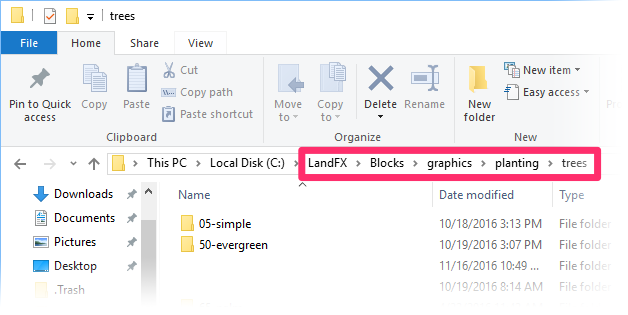
To correct the issue, create a new folder in this directory location that matches the path of the folder referenced in the error. In this example, we'll create a folder named 55-deciduous in this location.
This folder's matches the folder path referenced in our example error message: LandFX/Blocks/Graphics/Planting/Trees/55-deciduous

You should now be able to complete the action that triggered the error message.
Still seeing an error message after trying all these steps? Send us a technical support ticket detailing your issue and we'll take a look.